Plan your year on one page.
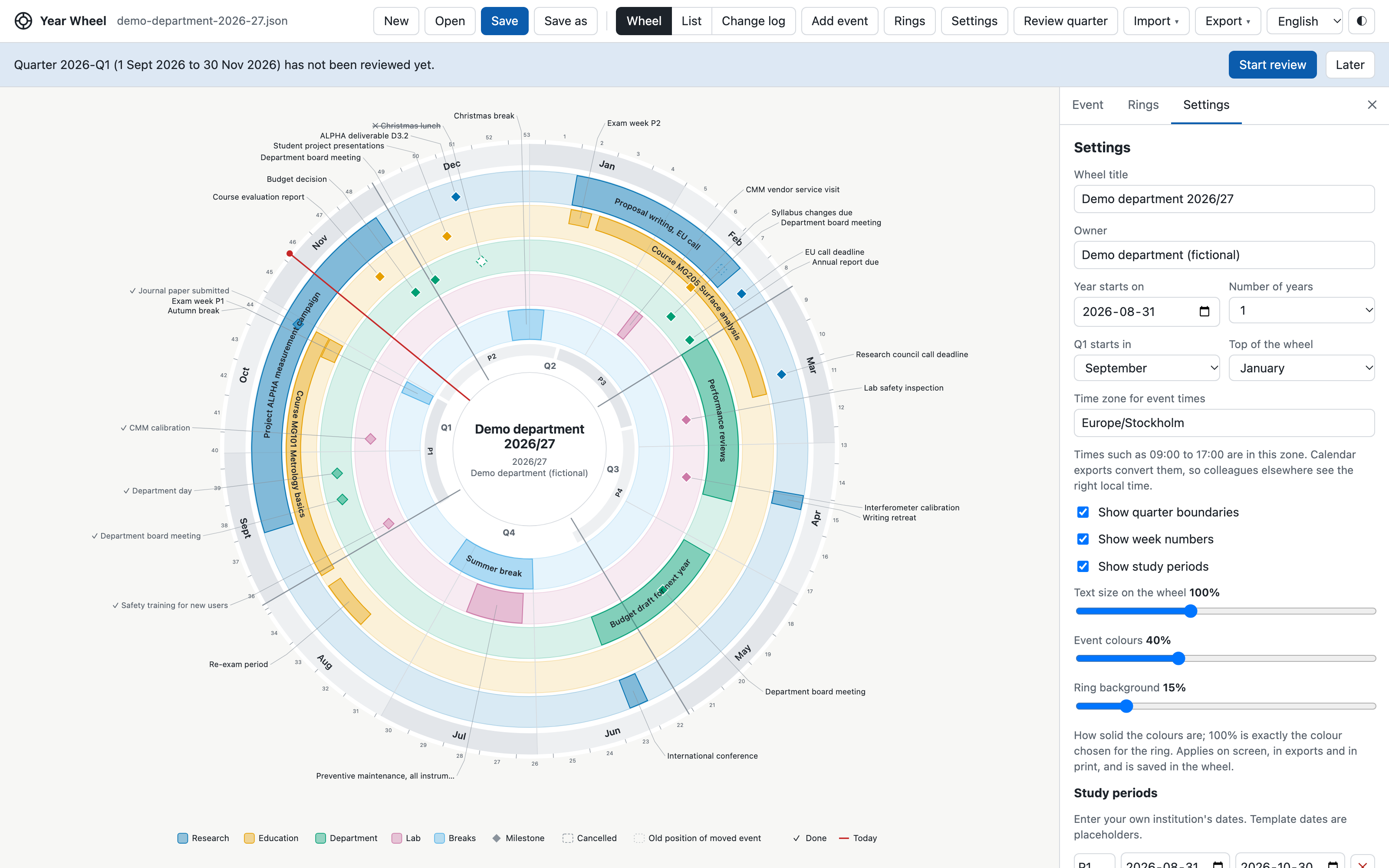
Year Wheel draws the whole year as a wheel, with a ring for each area of work. Deadlines, courses, meetings, lab work and breaks in one picture that everyone understands at a glance.
Free and open source (MIT). One HTML file: no installation, no account. English and Svenska.
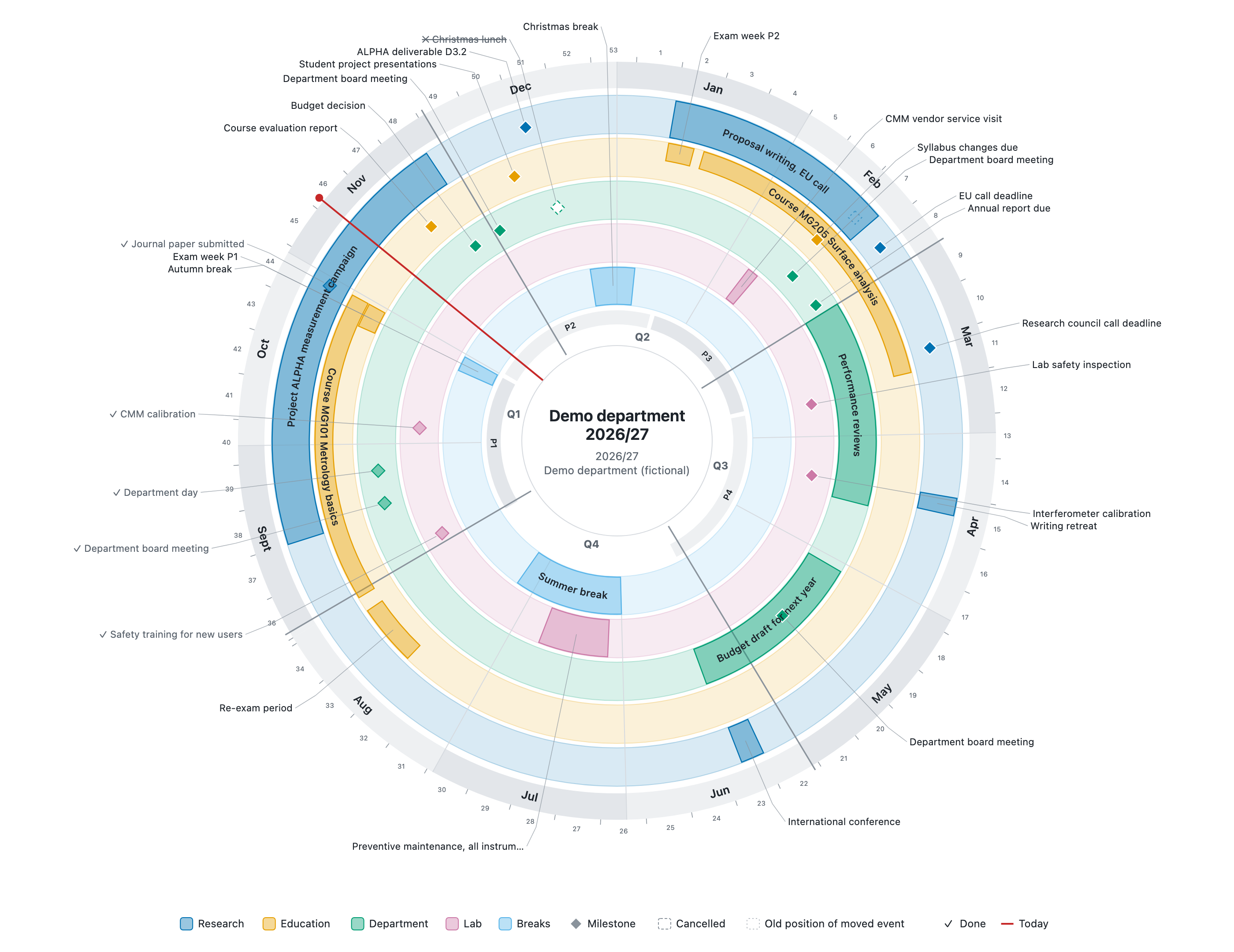
Made for the way academic years really work
For departments, research groups, labs, course coordinators and PhD students. Start from a template, or from a blank wheel.
The whole year at a glance
Months, week numbers, quarters, study periods and today's date. January at the top, running clockwise like a clock.
Plans as they really are
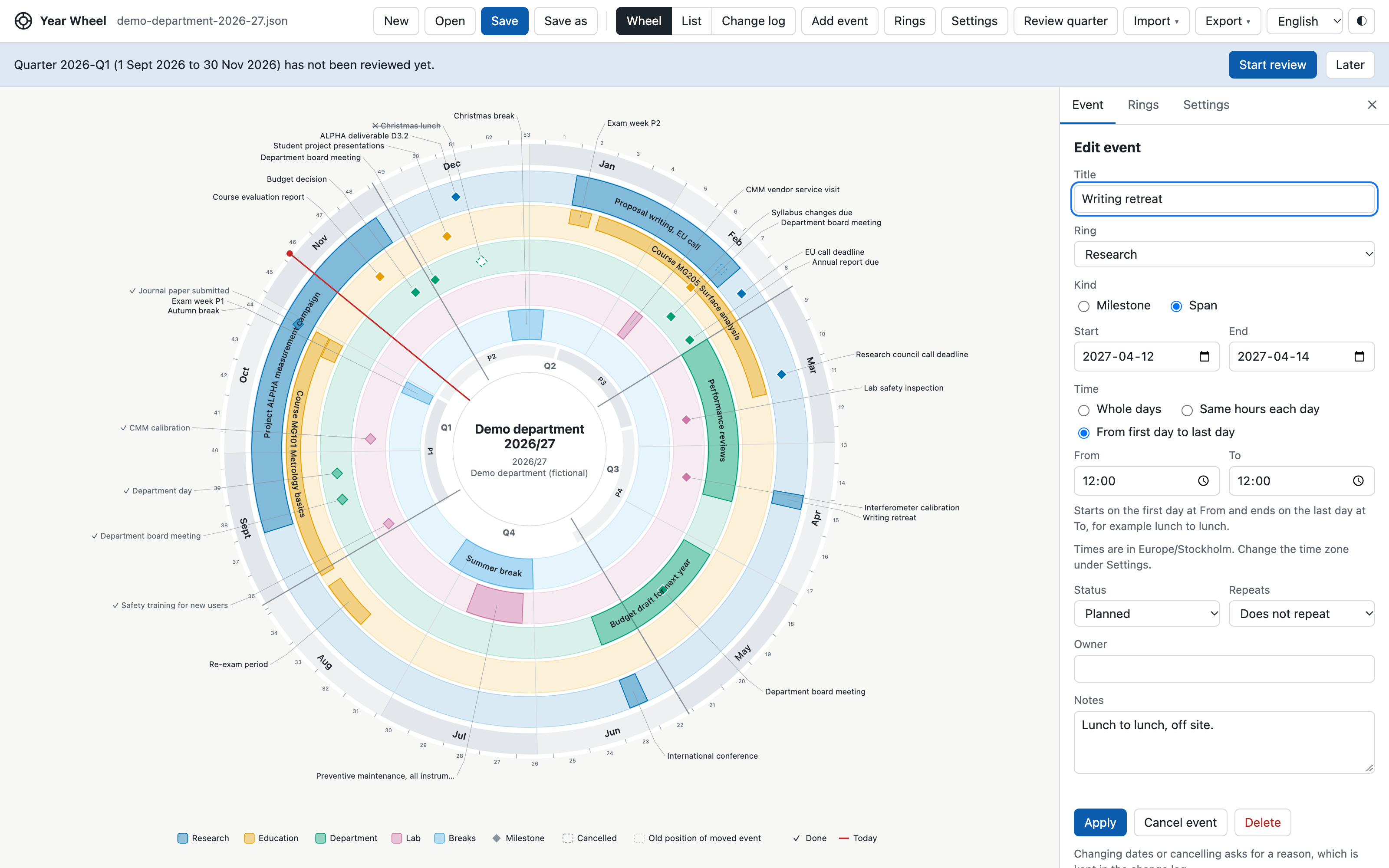
One-day deadlines, spans over weeks, meetings with times, courses with the same hours each day, retreats from lunch to lunch, and yearly events.
Kept up to date
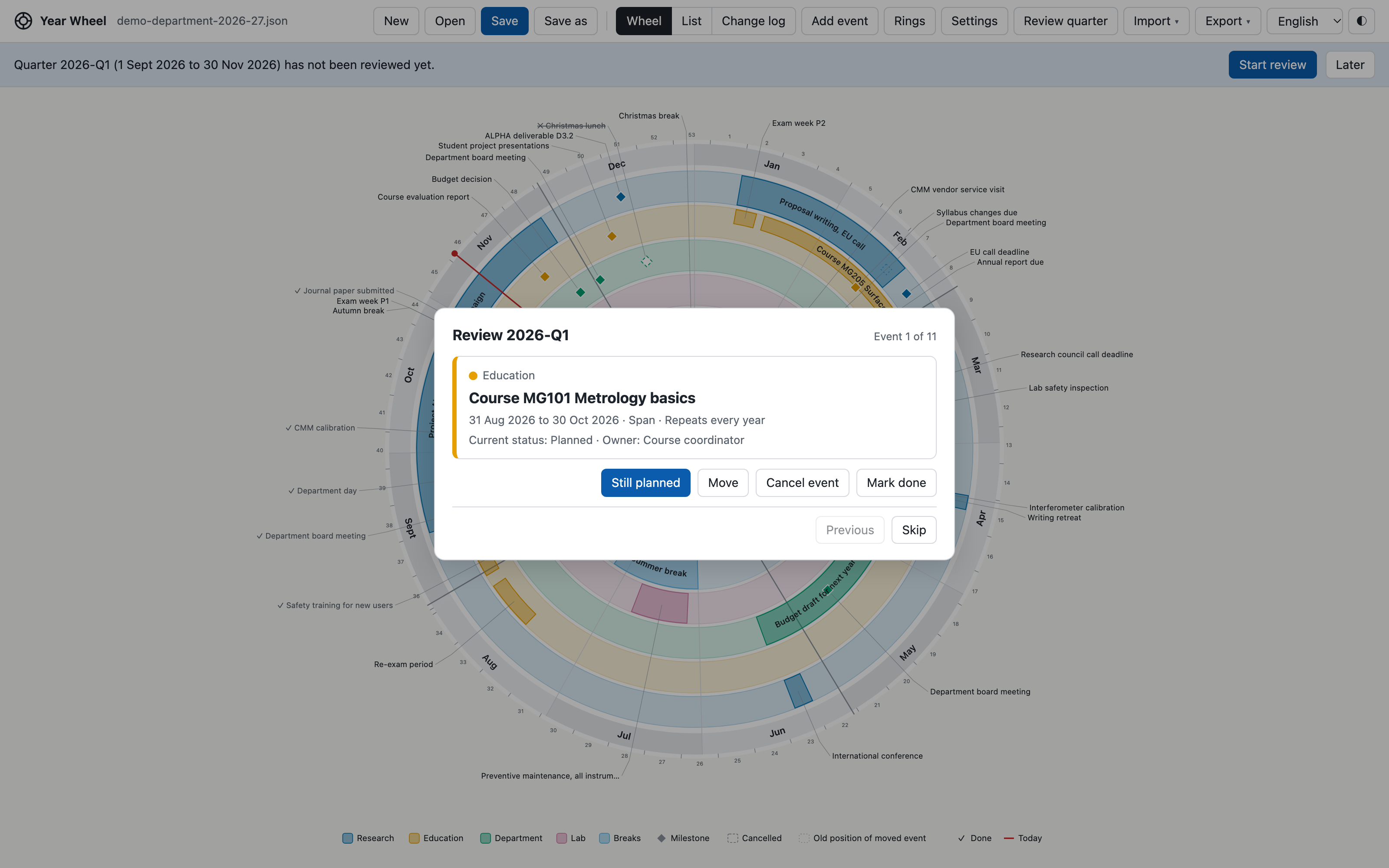
A short quarterly review steps through the coming events. Every move or cancellation keeps its reason in a change log.
Share it your way
Send the file, print it on A3, export a picture, a calendar file for Outlook and Google Calendar, or a spreadsheet for Excel.
Bring your dates
Import from Outlook, Google Calendar or a spreadsheet, and choose a ring for each event.
Private by design
The app makes no network requests. Your wheel is a file on your computer, never stored on this website.
A closer look
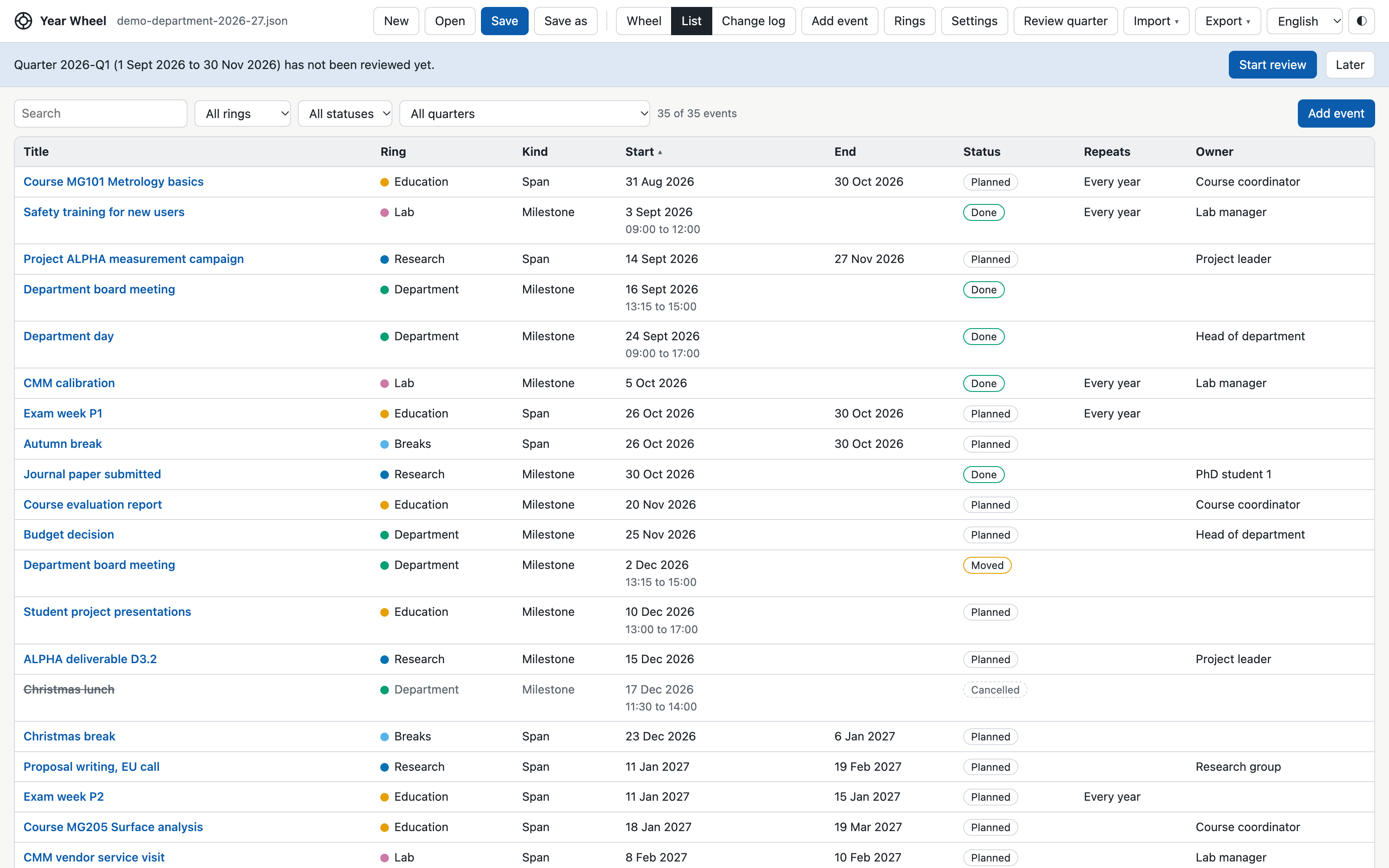
Everything you can see on the wheel can also be edited in a table, reviewed every quarter, and printed.
Start in a minute
- Get the appOpen it online, or download the ZIP and open
yearwheel.html. - Pick a templateResearch team, department admin, lab, PhD journey or course periods.
- Add your datesOn the wheel, in the list, or imported from your calendar or a spreadsheet.
- Save and shareSave the .json file in a shared folder, print it, or send a calendar export.
Chrome and Edge can save straight back into your file. Safari and Firefox work too, but save each change as a new copy in Downloads.